Nano Banana 2.1

AI Image Generation & Editing

4K detail, mask editing, references and text

Nano Banana 2.1 is not integrated on this site. Check the workspace for currently available models.

Henüz görsel yok

GPT Image 2New
Dengeli kalite ve hız

Galeriden sürükle Galeri (önerilir) veya yüklemek için tıkla
İpucu: yükledikten sonra küçük resme tıklayarak çiz/düzenle.
JPG, PNG, WEBP · ≤50MB

Promptu çevir

Your creative workspace

Bring your images, prompts and projects together in Studio. Work with the models and tools currently available, and review the credit estimate before generating.

Infinite canvas

Arrange images and ideas in one visual workspace. Keep references and variations together as a project develops.

Design Agent

Describe the visual result you need in conversation. Work through prompts and creative tasks with Design Agent in Studio.

Text-to-image and image-to-image

Start with a written prompt or an input image. Choose from the models and output settings currently listed in the generator.

Projects and assets

Organize images and ongoing work by project. Return to your saved materials when you are ready to continue.

Design reference search

Search for visual references in Explore and add selected images to the canvas to help shape the direction of your project.

Video generation

Explore the video models available from the homepage or Studio. Choose a supported mode and review its settings before generating.

FEATURES IN PRACTICE

Feature

Look at scene detail, selective edits, recurring characters, and text-led designs to understand where each capability can help.

01 · DETAIL AND RESOLUTION

From a whole scene to the smallest texture.

For product shots and campaign artwork, convincing materials matter as much as composition. Nano Banana 2.1 offers 1K, 2K, and 4K output for exploring light, surface texture, and fine detail in generated or edited images.

  • Build the brief around the subject, camera view, and lighting.
  • Match the output size to the final placement and check details at that size.
  • Describe a targeted revision in plain language, then inspect the result.
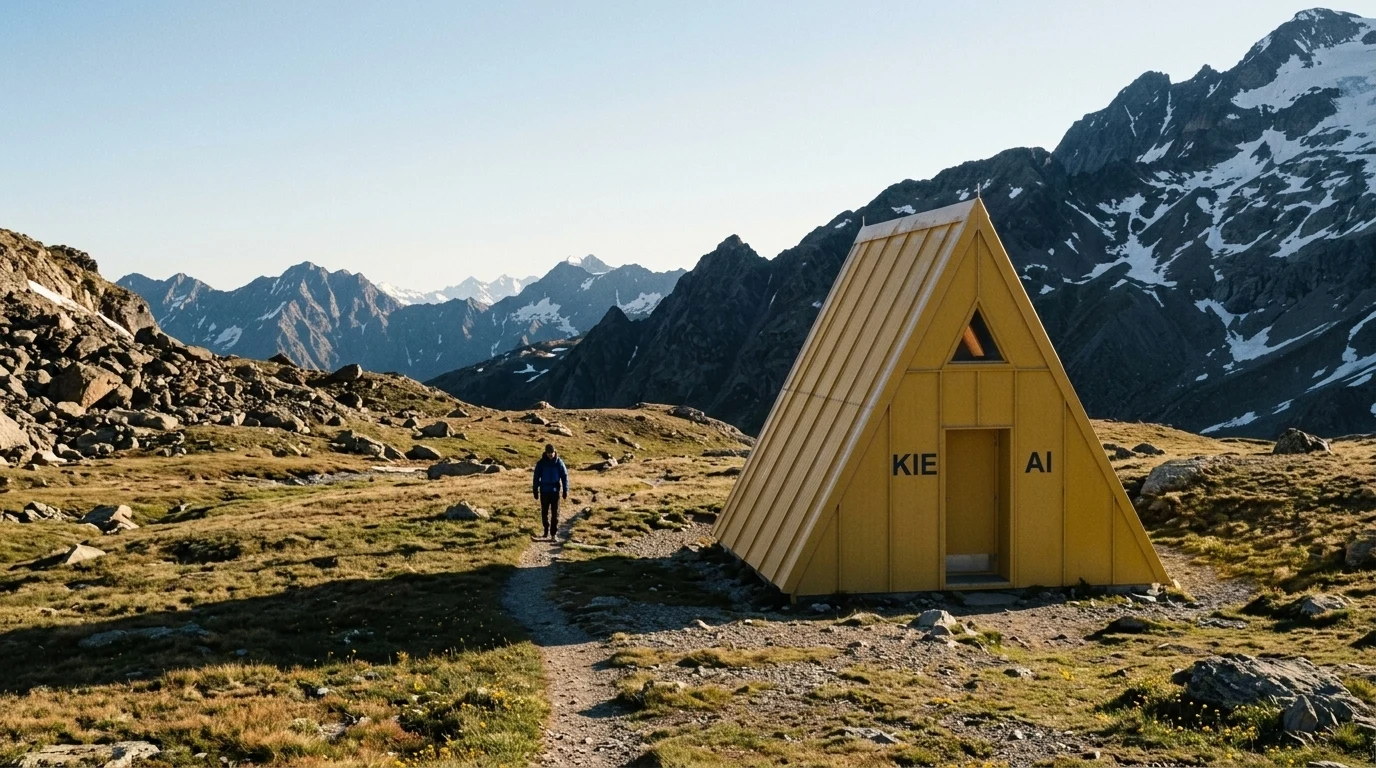
Scene example showing a bright yellow A-frame cabin surrounded by snowy peaks

02 · EDITING A SELECTED AREA

Give a local edit a clear boundary.

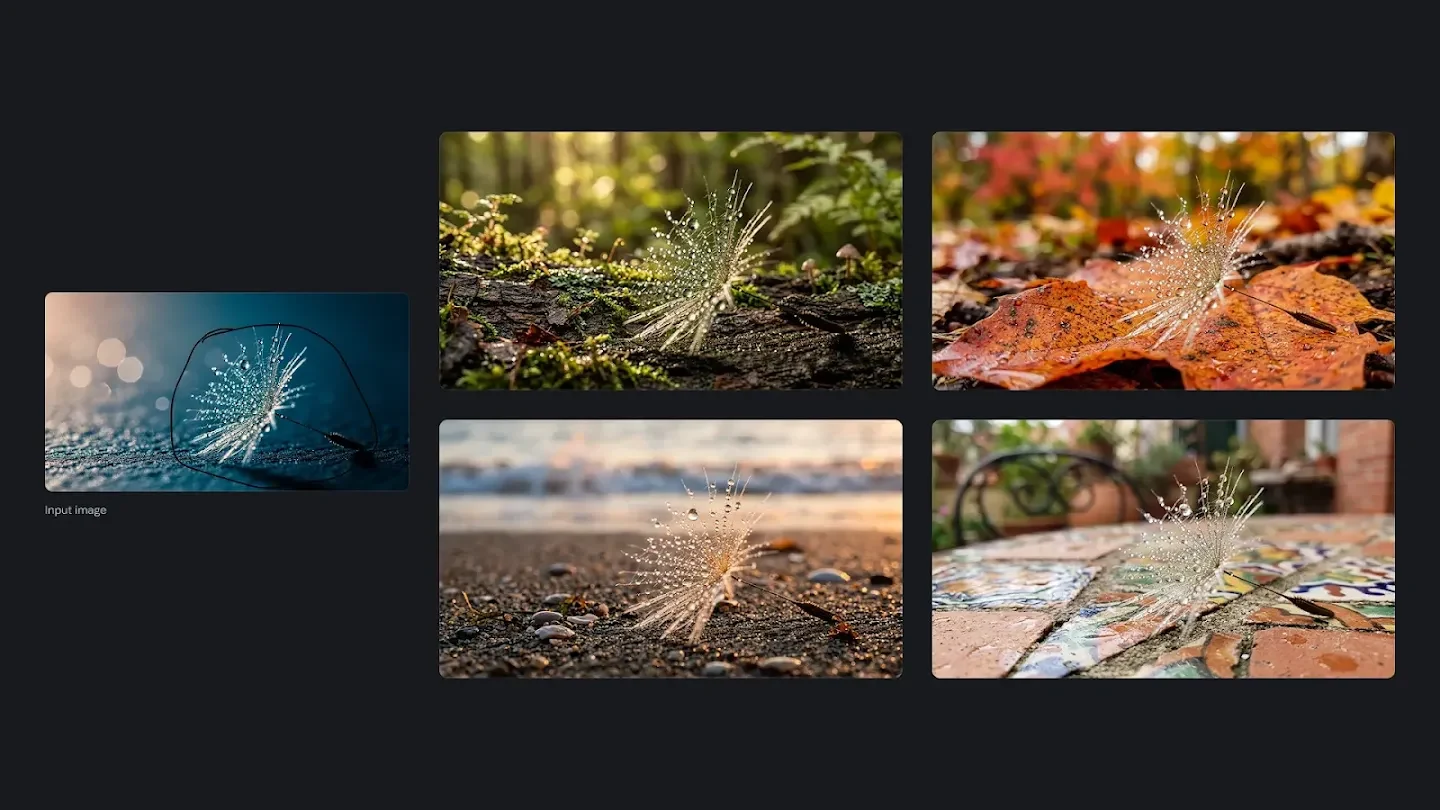
A mask or drawn mark tells the model where an edit should apply. This approach is useful when changing a background, swapping an object, or adjusting one part of a picture while describing what the rest should retain.

  • Use a visible mark to identify the part that needs attention.
  • Pair the selection with a specific description of the intended change.
  • Review edges and nearby objects for changes beyond the selected area.
Editing example with a marked dandelion seed and four alternative background results

03 · REFERENCES AND CONTINUITY

Keep familiar subjects across a new set of scenes.

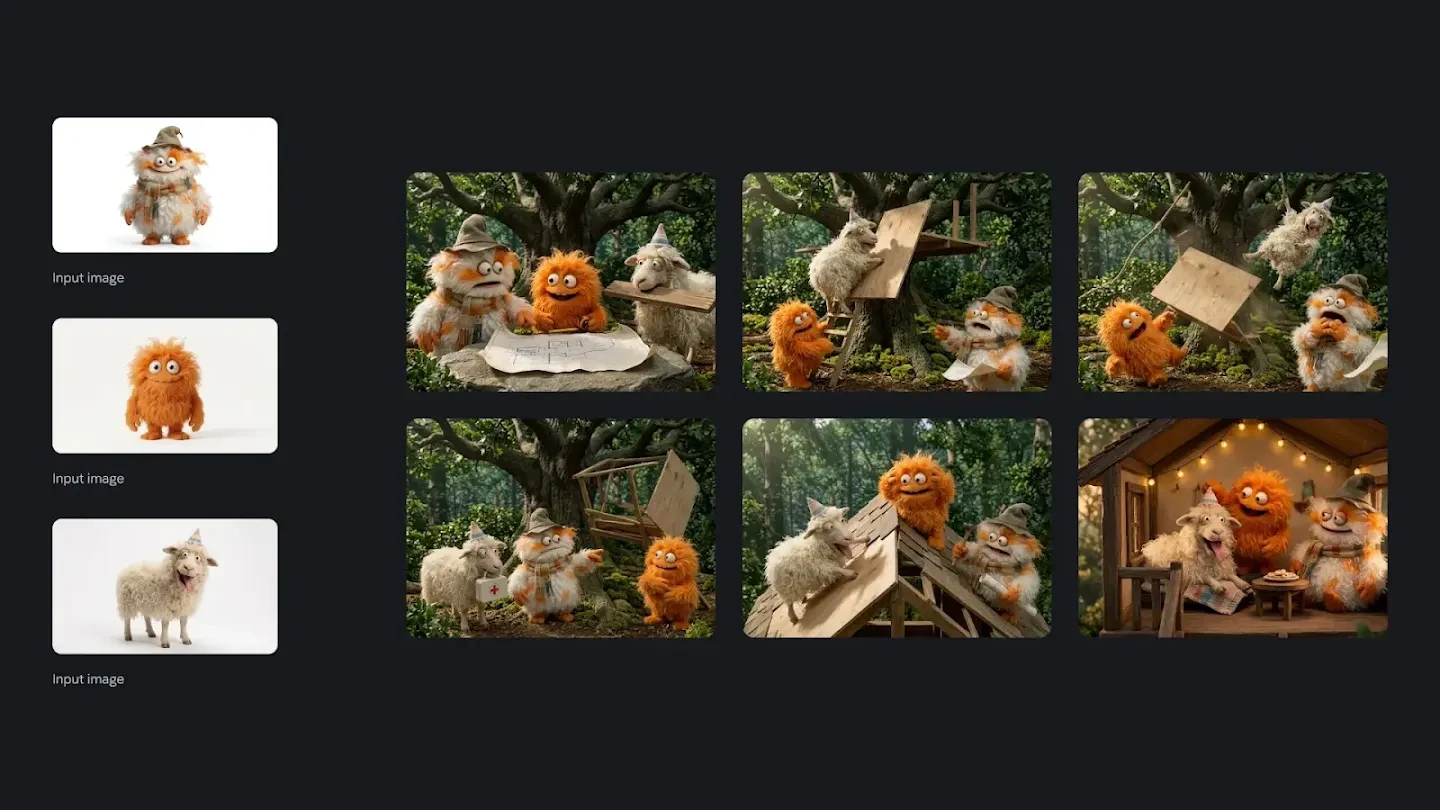
Reference images provide visual anchors for a storyboard, product series, or recurring cast. The model accepts up to 14 references; clear instructions can help preserve identifying features as the pose, outfit, or environment changes.

  • Explain which image defines the subject, setting, or visual style.
  • List the colors, shapes, and features that make each subject recognizable.
  • Check every scene against the references before assembling the sequence.
Reference example pairing three plush characters with six scenes of a forest treehouse story

04 · WORDS AND VISUAL HIERARCHY

Plan the message as part of the image.

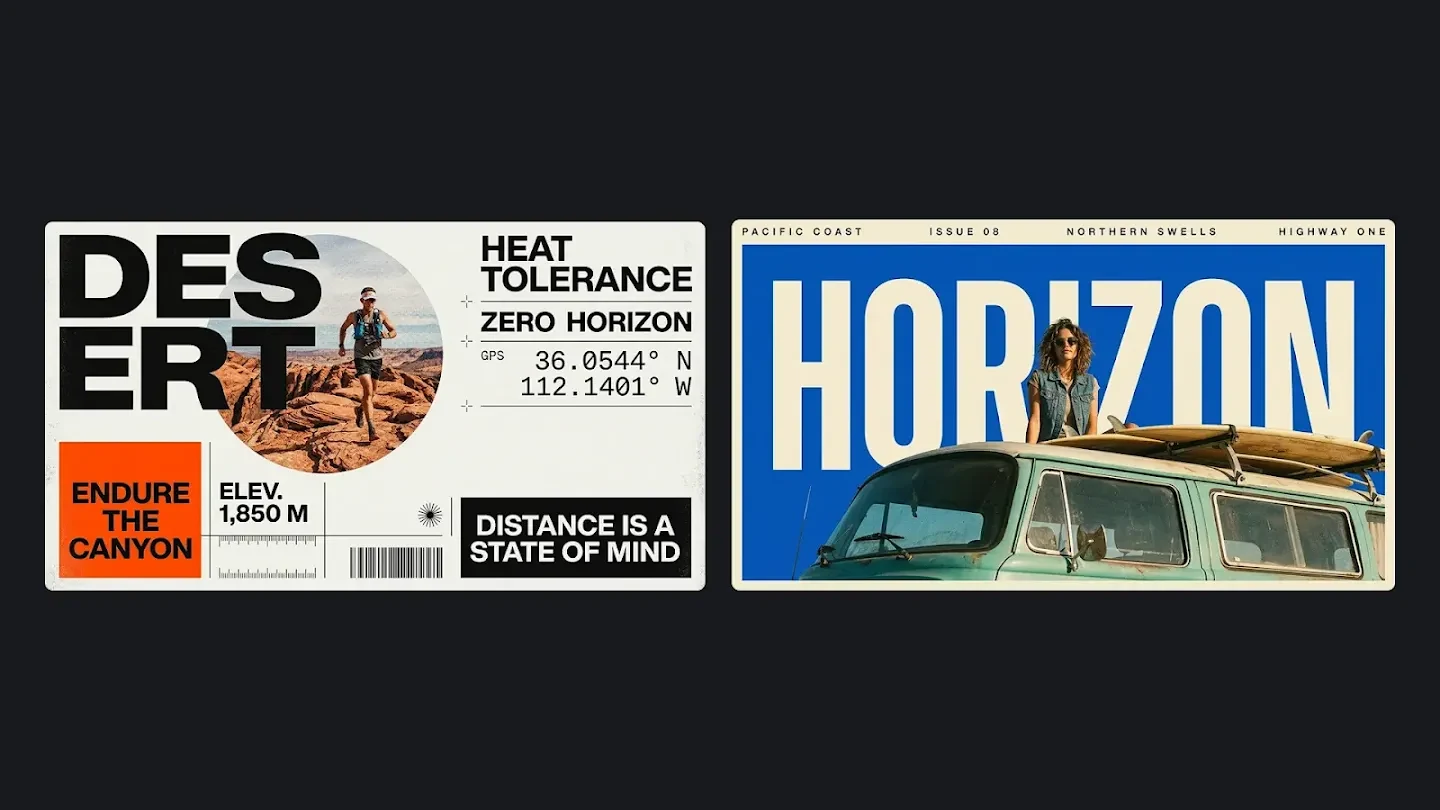
Posters, labels, and infographics need both readable wording and a useful layout. Nano Banana 2.1 focuses on these text-heavy tasks, with prompts that describe the exact copy, its placement, and how it relates to surrounding graphics.

  • Supply the final wording and separate the main headline from supporting text.
  • Set a reading order for captions, labels, and illustrations.
  • Proofread the image at its intended viewing size, especially small type.
Typography examples featuring a DESERT running poster and a HORIZON travel poster

MODEL COMPARISONS

What to compare before choosing an image model.

Use these three comparisons to frame a practical test: the same brief, the same references, and the details that matter to your project.

Nano Banana 2.1 vs Nano Banana 2

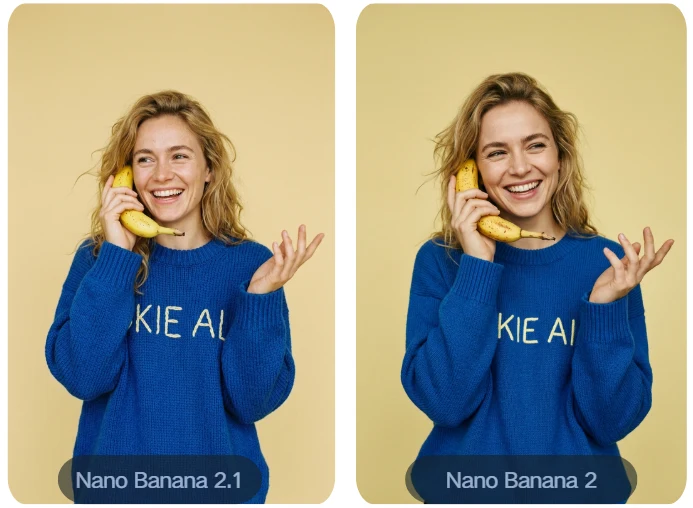
Moving from Nano Banana 2 to 2.1 is a Flash-family update focused on text clarity, scene detail, and subject continuity. For an established workflow, rerun representative prompts and references to see how those changes affect the images you need.

Side-by-side banana-phone portraits, with Nano Banana 2.1 on the left and Nano Banana 2 on the right

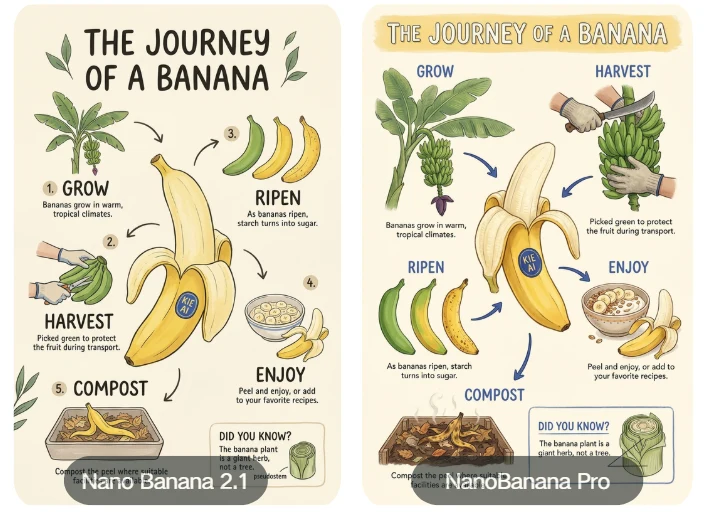
Nano Banana 2.1 vs Nano Banana Pro

Nano Banana Pro is positioned for demanding compositions, multilingual graphics, and brand-sensitive work; 2.1 brings the newer Flash update. Both list 1K–4K output and up to 14 references, so compare layout accuracy and subject fidelity rather than relying on resolution alone.

Comparison of banana life-cycle diagrams, with Nano Banana 2.1 on the left and Nano Banana Pro on the right

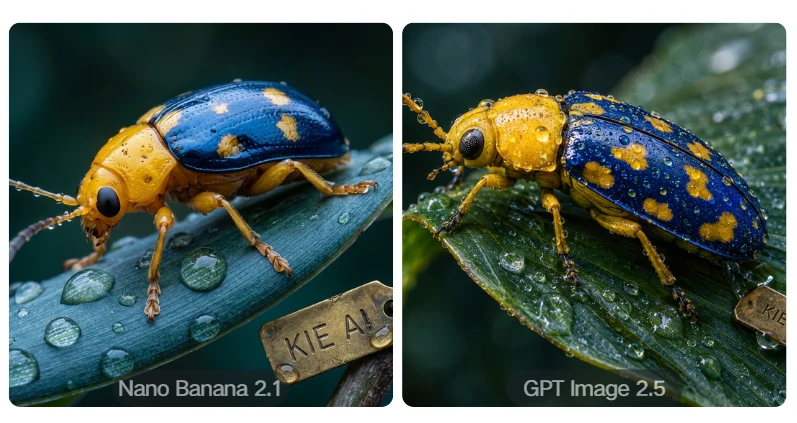
Nano Banana 2.1 vs GPT Image 2.5

For Nano Banana 2.1, examine how text placement and reference-guided subjects hold up through revisions. When testing GPT Image 2.5, distinguish Flare for general creation from Sunburst for precise edits. Compare the same task across the relevant models before deciding which fits your process.

Comparison of yellow and blue beetles covered in water droplets, labeled Nano Banana 2.1 and GPT Image 2.5

Read the sources behind the Nano Banana 2.1 update

A reading list of model documentation and launch coverage. Use provider documents for specifications and limitations, and reporting for rollout context and attributed observations.

Google AI for Developers · documentation update

Gemini Nano Banana 2.1

Start with the developer reference for the stable identifier gemini-nano-banana-2.1 and the documented changes to image detail, text, and reference inputs. It also records a correction to stitching artifacts in extreme aspect ratios at 2K and 4K.

Open the original article

Google DeepMind · model card

Nano Banana 2.1

The model card explains the intended applications and how Google evaluates the model. Its limitations are useful review criteria: inspect small lettering, extended text, recurring subjects, exact edits, and the placement of objects.

Open the original article

Google Cloud · release and specifications

Gemini Nano Banana 2.1

Google Cloud lists October 6 as the general-availability date and sets out the supported output sizes, aspect ratios, and reference inputs. Consult this service-specific documentation when planning an API workflow.

Open the original article

Android Authority · Ryan McNeal

Google’s latest version of Nano Banana ups the visual quality and consistency

Ryan McNeal outlines the changes Google announced and where the rollout fits within its products. The article provides release background; it does not establish comparative performance through independent testing.

Open the original article

Search Engine Roundtable · Barry Schwartz

Nano Banana 2.1 In Google AI Mode In Search

Barry Schwartz follows the announcement of Nano Banana 2.1 in Search AI Mode, pointing to posts by Google and Robby Stein. The coverage concerns that product rollout, so access elsewhere should be checked separately.

Open the original article

THE DECODER · Matthias Bastian

Google’s new image model Nano Banana 2.1 generates better images for less money

Matthias Bastian describes a small Flow comparison with mixed results, including a preference for Pro realism and a concern about scale in 2.1. Treat this as a limited observation, and consult provider documentation for current prices and model availability.

Open the original article

Creator perspectives and Google rollout posts

The two videos below were published on October 6, 2026, with OpenArt sponsorship; Youri also discloses affiliate links. Read them as individual creator perspectives alongside the linked Google rollout announcements.

Video perspectives · OpenArt sponsorship disclosed

Nano Banana 2.1 Is FINALLY Here (I Tested Everything)

Youri van Hofwegen · OpenArt sponsored · affiliate links

Nano Banana 2.1 Is FINALLY Here (I Tested Everything)

Read or watch the source · YouTube
Nano Banana 2.1 Is Here! (I Tested It vs GPT Image 2.5 + Nano Banana Pro)

Paul J Lipsky · OpenArt sponsored

Nano Banana 2.1 Is Here! (I Tested It vs GPT Image 2.5 + Nano Banana Pro)

Read or watch the source · YouTube

Google product rollout announcements

Robby Stein · October 6, 2026: Nano Banana 2.1 is rolling out in AI Mode in Search!

Robby Stein · October 6, 2026 · @rmstein

Nano Banana 2.1 is rolling out in AI Mode in Search!

Read or watch the source · X

USING THE WORKSPACE

Build a clear brief, then check each result.

The current generator has its own model choices. Use the workflow below with a listed model; Nano Banana 2.1 is not integrated here.

  1. Choose an available model and describe the scene

    Check the models shown in the workspace, then describe your subject, setting, and intended use. If the selected mode accepts images, add references and explain their purpose.

  2. Review the settings offered for that model

    Use the aspect ratio and output options actually shown for your selection. Check any sign-in requirement and displayed credit estimate before submitting.

  3. Inspect the details before the next step

    Check wording, faces, product shapes, and the areas you asked to change. Adjust the brief if the result misses a requirement, using the controls available in the workspace.

Return to the workspace
MODEL FAQ

Nano Banana 2.1: model details and access questions

Understand the published capabilities, Google service requirements, and what this workspace currently offers.

Bring your brief to the workspace.

Check the models and settings currently listed in the generator before you begin. Nano Banana 2.1 is not integrated on this site.